
Blog Feed

How to Use Your HDMI Cable

hdmi cable

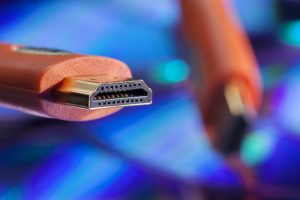
HDMI is the abbreviation for High Definition Multimedia Interface – that is an interface used for the transmission of high quality audio and video data.

If you are wondering why HDMI is better than the analog cable, the answer is simple: unlike the analog cable, HDMI transmits the data in its original form, so the image is clearer and the sound flawless. HDMI cables can be used on PC, DVD player, console etc. You need 3 things to enjoy the benefits of HD technology: a HDMI input monitor, a player (DVD-player or PC) that supports HDMI and an HDMI cable that connects the two.

Using the hdmi cable is very simple. Look for the HDMI slot on the monitor (it has a trapezoidal shape) and then insert the cable; do the same for the player, connecting the other end of the cable. Then go to the monitor settings and look for the HD signal. The monitor should detect the HD signal, but if you can’t find it, look in the monitor’s manual for information about it, but also check the cable connection.

After you find the HD signal, see if the resolution, contrast or brightness are good by checking the settings. If your device (monitor or PC) does not have HDMI input / output, you can purchase an adapter.

Today, HDMI is adapted for almost any gadget (phones, cameras etc.) because it ensures the transmission of data in their original form, which translates into much better sound and image.

First Posted here: How to Use Your HDMI Cable

What are Cables Made of?

In general, an OEM cable are assemblies made of one or more electrical wires, wrapped in an insulating material and used to transmit information or energy.

The cable insulation that surrounds the wires is usually made of plastic. It covers both the individual wires and the cable as a whole. Electrical conductors are generally made of copper, sometimes aluminum or various metal alloys. To obtain electromagnetic shielding or other mechanical protection, cables may also have other layers of different materials.

OEM cable

OEM Cable Materials used in electrical cable manufacturing

Conductive materials: aluminum, copper, and for aerial conductors subjected to high mechanical demands, bronze (Cu + Sn), brass (Cu + Zn) or steel – aluminum are used.

Insulating materials for conductors and cables:

  • plastics (polychlorinil, polyethylene, polystyrene)
  • natural and synthetic rubber
  • natural silk and cotton fibers, cotton fabrics

Materials for the protection of conductors and cables against the action of the environment or other factors:

  • Watertight coats, which may be non-metallic (rubber or plastic) or metallic (lead or aluminum)
  • Extra coats, which protect the watertight coats and can be made of jute, paper or steel strips.


Article Source right here: What are Cables Made of?

Signs it’s Time to Replace Your Cables

Probably everyone has seen what a broken or worn cable looks like, with those metal wires in sight. Damaged cables are hazardous and should be replaced when they lose their integrity.

It is time to replace a cable when it no longer makes proper contact and when it is visibly damaged. Cables that are used frequently and moved to different locations tend to wear out faster. Also, cables lying around the house or the office, with no protection, can also be damaged by traffic. Even though the owner is trying to protect them, all cables, including a flame retardancy long hdmi cable, can still be damaged.

 Tips and Tricks

Here are some tips you can follow, so you don’t have to spend money to buy new cables.

  • Protect the telecommunication and television cables with a special organizer. It will keep the cables in order, out of sight and away from dust and aggressions.
  • Do not put pressure on any cable, by placing furniture or other heavy objects on it
  • Keep cables away from any potential contact with liquids or moisture, to avoid corrosion and short circuits
  • If the cables are dirty, clean them very carefully, using only a damp cloth, without corrosive substances.


Originally Posted over here: Signs it’s Time to Replace Your Cables

What to do with Old Cables

At least when it comes to electrical systems of buildings, the old cables must be handled by an electrician, who will first decommission the old installation by disconnecting it from the electrical panel. It is well known that old electric cables cannot be used anymore, so the electrician will remove them from the walls if possible (there are cases where the wires are simply buried in concrete without being protected by anything else). Since a new electrical installation uses materials differently and the number of electrical circuits is higher, new cable routes will be required.

cable recycling

As for other types of cables, such as telecommunication and television cables, these are necessary for using certain appliances. If you no longer use the appliance, you typically no longer need the cable. It is unlikely that you can use these cables for other purposes, so it is best to recycle them. Look at https://iec.net/ for additional information on cable management.

Recycling is an important resource for the recovery of conductive metals from cables, especially copper and aluminum. Also, the plastic mixtures obtained by recycling the cables are thermally processed in order to recover the energy used to produce them.

Nowadays, there are highly efficient modular systems for recycling various types of cables, with superior results, low processing costs and low energy consumption.

Original Post here: What to do with Old Cables

Simple Ways to Disguise Visible Cords and Cables

A room in which cables are nicely arranged in place provides a sense of order. Homes and working places nowadays have to be comfortable and functional, but without the cables connecting the devices to the electrical system, life would be much more difficult. But what can we do to prevent those high speed 50 ft HDMI cable and others from staying in our way and creating a disorganized aspect of the room?

50 ft hdmi cable

If you feel that cables invade your space and are way too visible, here are some suggestions to mask them, without having to break the walls to integrate them.

One solution to this problem is using plinths along the floor or the walls, which will keep cables hidden. Plinths have a smooth surface and fit in rooms with different designs. They can be painted in any color using solvent-free paint and are easily maintained by dusting with a soft cloth.

Another solution is to use extensions cords with special designs. Curved and elegant, these are the ideal solution for a room decorated with style.

The simplest solution, however, is to purchase a cable organizer. Extremely efficient, this organizer will keep your cables out of sight and perfectly arranged, also protecting them from damage.


First Posted over here: Simple Ways to Disguise Visible Cords and Cables

How to Decide Which Older Cords You Can Get Rid of

custom cable manufacturers

Many standards of cords and cables were used throughout the past few decades as the computer industry progressed. While some have remained, others have become all but obsolete, with most manufacturers discarding them and only older devices still retaining jacks and ports that allow you to access them with those types of cables.

A good example of this is the good old fashioned LPT cable, which was used quite heavily in offices just a few decades ago. As printers continued to evolve, the USB standard became the norm, and LPT units became obsolete. So if you still have an LPT cable lying around, you can definitely get rid of it.

RCA cables are on a similar path, although not all devices have discarded them. If you just bought a new LED TV or a brand new computer system chances are that they won’t have RCA jacks, so you can’t use your old RCA cable to connect to them. But older systems and devices might still have them.

Finally, you can definitely get rid of old PS/2 keyboard and mouse cables, since most mouse and keyboard interface standards have now switched to USB. The alternative would be to buy a PS/2 to USB adapter which, however, is an added effort that’s simply not required in this day and age.

If you unsure about what you should keep or throw away, contact knowledgeable custom cable manufacturers for the best insight.

Article Source right here: How to Decide Which Older Cords You Can Get Rid of

How a Wall Mount Rack Can Help Organize Your Office Space

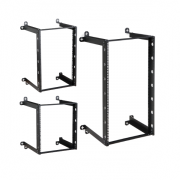
A dependable wall mount rack can help you in more ways than you think. While organizing your belongings at home might not require much work, at the office things stand differently. Each and every item, paper or gadget you might have lying around serves a certain purpose, and if your office is cluttered then you won’t be able to ensure your productivity.

Moreover, anyone visiting your office might think that you’re a messy person just because your things are all over your desk. Their assumptions will not bode well for your reputation as a business person.

wall mount rack

A reliable wall mount rack can change all that. Not only will it ensure that you have a place for all your things, but unlike in the case of a cabinet or just another storage compartment in your desk, it will also keep your items at the forefront.

Anything that you wish to be reminded of will be better off on your wall mount rack than inside a drawer or a cabinet. Moreover, it will be far easier to just get used to accessing your items from there than leaving them on the desk, and you can account for them in a more effective way. Getting used to storing everything in its own place will make you faster and more efficient, as well as ensure that you no longer have to worry about having to find things if they are lost.

First Seen over here: How a Wall Mount Rack Can Help Organize Your Office Space

Audio and Video Cables That You’d Commonly Require for a Conference Room

Having the best conference room audio video cables and equipment is an essential requirement if you want your presentations to go smoothly. Whether you’re planning a big presentation and you need a projector, or a large screen smart TV will suffice for what you need, you’ll have to plan ahead and make sure not only that all your devices can be properly connected and interfaced together, but also that you’ll have the right cables for the job.

conference room audio video

There are essentially three types of cables that can be used to transmit digital or analog signals between visual devices like projectors and screens and your computer. These are VGA, HDMI and SCART cables, and each comes with its own standard. One or more of these standards are typically used in devices required by your conference room. Aside from them, there are also regular RCA cables that can connect visual and audio signals to and from just about any type of device, although most newer devices such as LED TVs no longer allow you the option to plug in an RCA cable.

Typically, the three can be interfaced together, and the signal they provide can also be broken down with an adapter to provide you with raw audio and video signals that you can even play back on a regular, older television set using basic RCA cables.

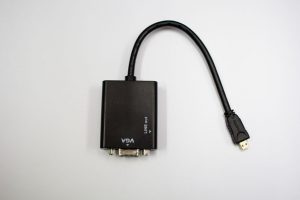
So the possibilities for interfacing them are virtually unlimited. In fact, directly adaptable SCART to HDMI, SCART to VGA and HDMI to VGA cables can be acquired quite easily, along with their counterparts that allow for RCA audio/video signals to be interfaced with any one of the newer standards.

First Posted on: Audio and Video Cables That You’d Commonly Require for a Conference Room

How Do HDMI Cables Work and What Are They Used for?

With the computer and TV industry taking off to greater heights each year, it’s understandable why someone might not know a lot about newer HDMI cable standards. Although they have been in use for some time, the difference between HDMI and other types of audio/video cables is not always understood.

HDMI stands for HD High-Definition Multimedia Interface, and it refers to a type of standard used for connecting high definition devices. These can include anything from smart TVs to various older HDTVs and computer screens, as well as projectors, DVD players, BluRay players and much more.

HDMI cable

HDMI cables work by transferring digital signals, unlike the analog audio and video signals that were used in the case of older TV sets. With HDMI, the information being transferred is also much vaster. While older digital and analog cables typically transferred standard definition images, HDMI allows for resolutions of up to 1920 x 1080 pixels featuring a wide screen image.

Because of this fact, it’s important that, when you use HDMI for example to put together your very own home theater, you have to make sure that all the components of your home theater are compatible with it. Failure to do so would lead to a significant dilution of image quality and resolution that would basically defeat the point of using the HDMI standard in the first place.

Original Post right here: How Do HDMI Cables Work and What Are They Used for?

Common Uses of VGA Cables and What You Need to Know About Them

While considered a lesser standard, the 4:3 image ratio of old school VGA monitors is by no means obsolete. Most computers still use VGA to HDMI cables to transfer digital pictures from their video boards to the computer screen, even if HD quality is supported by both components. Moreover, VGA cables are far more widespread and accessible especially when considering lower resolution, cheaper devices.

VGA cables have been used for decades. If you walk into a computer shop or museum and see an old Pentium II computer that now looks like it came from the dark ages, you’ll notice that it still uses the same kind of VGA cable that most monitors use today.

 VGA to HDMI

The most common use of a VGA cable is to connect a computer screen to the video board or motherboard of a computer. But there are other uses as well. The cables used to connect electronic projectors are also typically VGA cables, and some DVD players also allow for VGA connectivity.

Moreover, in many cases you can even use VGA cables to connect one PC to another – including the task of interfacing a laptop with a desktop computer. If your laptop has a better quality screen and your desktop has better processing power, you can connect them so that you’ll see the animations and games on the laptop’s screen while playing them on your desktop.

Article Source right here: Common Uses of VGA Cables and What You Need to Know About Them

Design a site like this with WordPress.com
Get started